

Curious if your website must meet cookie compliance standards?
As privacy regulations become stricter worldwide and users grow more aware, cookie compliance has shifted from optional to essential for all website owners.
Therefore, Cookie compliance has become mandatory for all websites from 2025.
So, following cookie rules not only keeps you safe from legal risks but also builds trust with your visitors.
This shift is driven by stricter privacy laws and rising concerns about how user data is handled. A clear cookie policy that respects user choices builds trust, while a confusing or missing one can damage it.
Simply put, handling cookies correctly is a direct way to show visitors that their privacy matters to you an important foundation for building strong and lasting relationships online.
This guide will demystify cookie compliance, breaking down what it is, why it matters, and the straightforward steps you can take to make your website fully compliant in 2025.
By the time you finish, you’ll know how to comply with legal requirements while strengthening audience trust and transparency.
What Are Cookies (and Why They Matter)
When a user visits a website, little data files called “cookies” are saved on their browser. They help websites remember things like login sessions, language preferences, or what’s in your shopping cart.
Cookies can be divided into two categories:
> Essential cookies – Required for a website to work properly (e.g., keeping you logged in).
> Unimportant cookies – Advertising, monitoring, and user experience customization are all done with these.
What Exactly Is Cookie Compliance? Breaking Down the Basics
It’s About Transparency and Respect when we talk about cookie compliance. In simple terms, cookie compliance means adhering to the legal requirements surrounding the use of cookies on your website. It’s about being transparent with your users about which cookies you are using and why and obtaining their explicit consent before deploying non-essential ones.
The “Why”: Legal Obligations and User Rights. Sites must adhere to cookie laws not only to avoid fines but also to honor users’ privacy and their control over personal information.
The Four Pillars of Cookie Compliance
1. Transparency: Clearly communicate your cookie practices to users in an easily understandable manner.
2. Authorization: Always secure user approval before setting non-essential cookies.
3. Control: Provide consumers with granular control over the types of non-essential cookies to which they consent, and using the correct tools, such as ComplyFi, will make this easier.
4. Documentation: Record and store information about user consent and cookie operations.
The 4 Core Components of Cookie Compliance
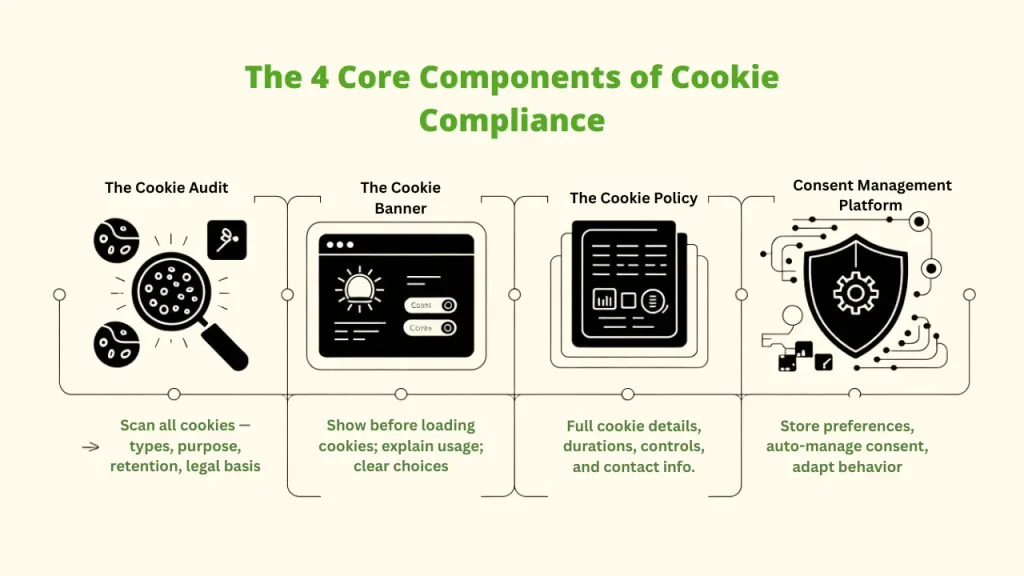
1. The Cookie Audit
The first and most important step is to run a full scan of your website. This helps you find out all the cookies being used, where they come from, why they are used, and how long they stay active. This includes:
- Cookie types and functions
- Cookie categories and purposes
- Data retention periods
- Legal basis for processing
2. The Cookie Banner
When someone initially visits your website, a notice known as a cookie banner appears. It tells visitors that your website uses cookies and asks for their permission to use non-essential ones. A good cookie banner should:
- Display before any non-essential cookies are set.
- Explain in detail why cookies are utilized.
- Provide users with unambiguous options to accept or reject cookies (using a tool like Complyfi)
- Give a URL to your complete cookie policy.
3. The Cookie Policy
A specific page on your website that gives complete details about the cookies being used, including their purpose, how long they last, and how users can adjust their settings, explaining:
- What cookies do you use and why
- How to control or disable cookies for users
- Your contact information for privacy questions
4. The Consent Management Platform (CMP)
One solution that assists you in managing cookie consent automatically is a CMP. It ensures that user preferences are appropriately gathered, stored, and respected. A CMP ought to:
- Controls the user’s consent preferences
- Adapts cookie behavior to user preferences
- Connects to the cookie infrastructure of your website
Step-by-Step Guide to Becoming Cookie Compliant
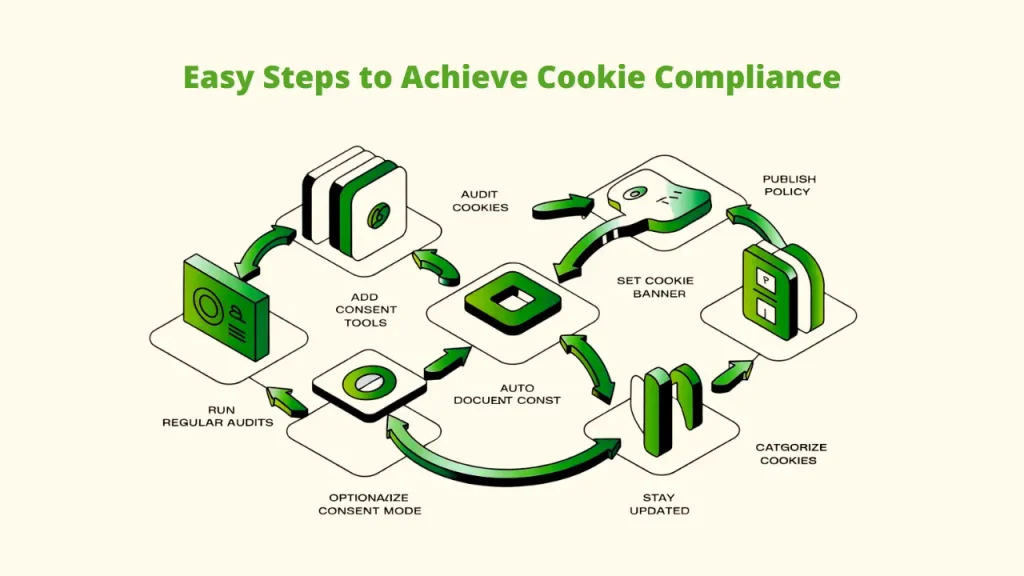
Making your website cookie compliant might feel complicated, but if you break it into simple steps, it becomes much easier. Here’s how you can do it:
1. Conduct a Comprehensive Cookie Audit
Use cookie scanning tools to identify and categorize all cookies on your website.
Scan your website to identify all cookies in use—both first-party and third-party. Categorize them by purpose (essential, analytics, marketing, etc.).
2. Publish a Cookie Policy
Write a clear policy that explains all the cookies used on your site, why they are there, and how long they stay active. Put the policy link at the footer of your website so that users may find it with ease. Your cookie policy should cover:
– The types of cookies used
– Any third-party services connected to your site
– How users can control or manage cookies
– Your contact details for privacy questions
3. Enable Easy Withdrawal of Consent
Visitors should be able to change their minds at any time. Make sure your website offers a simple way for users to manage or withdraw consent. This can be done through your cookie policy or a consent management tool. A good system should allow users to:
– Change their preferences at any time
– Access cookie settings from any page
– Retract consent as quickly as they provided it.
Automated tools like Complyfi can help by scanning your site, detecting all cookies, and managing them based on user choices.
4. Implement an Effective Cookie Banner
Your cookie banner is the first thing visitors see, so it must be easy to understand and give them clear options. It should always show up before any non-essential cookies are placed. A proper banner should:
– Add buttons like “Delete All” and “Modify.”
– Provide detailed consent choices
– Load before non-essential cookies run
5. Document Consent Automatically
Save details of user consent, including who gave it, when, and how. This helps prove cookie compliance if your website is ever audited.
6. Run Regular Cookie Audits
To guarantee continued cookie compliance, check cookies every six to twelve months as websites frequently add new third-party programs. Schedule quarterly reviews to:
– Identify the new cookies
– Update their categories and purposes
– Fix any issues found
– It makes sure the site remains compliant
7. Categorize Cookies Accurately
Ensure a clear distinction is made between essential cookies and non-essential ones. Group them into conventional categories, such as:
– Marketing/advertising
– Functional/preferences
– Analytical performance
8. Consider Integrating Consent Mode (Optional)
Ever wondered how you can respect user privacy and still keep your analytics and ads performing well? That’s where Google’s Consent Mode comes in.
With tools like Complyfi, you can adjust how Google tags behave based on each user’s consent. This helps you stay compliant while still running effective retargeting campaigns and keeping your analytics data useful.
👉 With Consent Mode v2, you can:
- Align with user privacy preferences.
- Keep your analytics data as accurate as possible.
9. Stay Updated with Evolving Laws
Cookie compliance and privacy policies are constantly changing. To stay in compliance, be sure to monitor any changes to the law and modify your website’s procedures accordingly.
Tools & Technologies to Help with Cookie Compliance
Even while maintaining cookie compliance might be challenging, the right tools make the process simpler and more reliable; hence, the following key technologies are essential:
1. Consent Management Platforms (CMPs)
By automating processes like obtaining consent, controlling user preferences, and maintaining accurate documentation, CMPs make cookie compliance easier. Several well-known remedies include:
A. Complify – complete tool with global coverage, frequent updates, and simple setup
B. Cookiebot – widely used with powerful scanning features
C. OneTrust – enterprise-grade with global compliance coverage
D. TrustArc – excels at tracking and risk management
Using these tools can help your website stay compliant with GDPR, CCPA, and other major privacy regulations.
2. Accessibility-Friendly Banners
Cookie compliance should also be inclusive. Your banner must be easy for all visitors to use, including people with visual or physical challenges. Best practices include:- Using high-contrast colors for better readability
– Supporting screen readers
– Allowing keyboard navigation
– Using straightforward language rather than legal jargon
3. Cookie Scanning & Classification Tools
At last, automatic scanners help you identify and classify every active cookie on your website, which is crucial for compliance and audits. Among the examples are:
– Cookiebot CMP – detects and automatically classifies cookies.
– Complify Scanner – integrates directly with CMP dashboards.
And there are many other options like these tools to prevent unknown or “shadow cookies” from undermining your compliance efforts.
The Horizon of Cookie Compliance: What the Future Holds
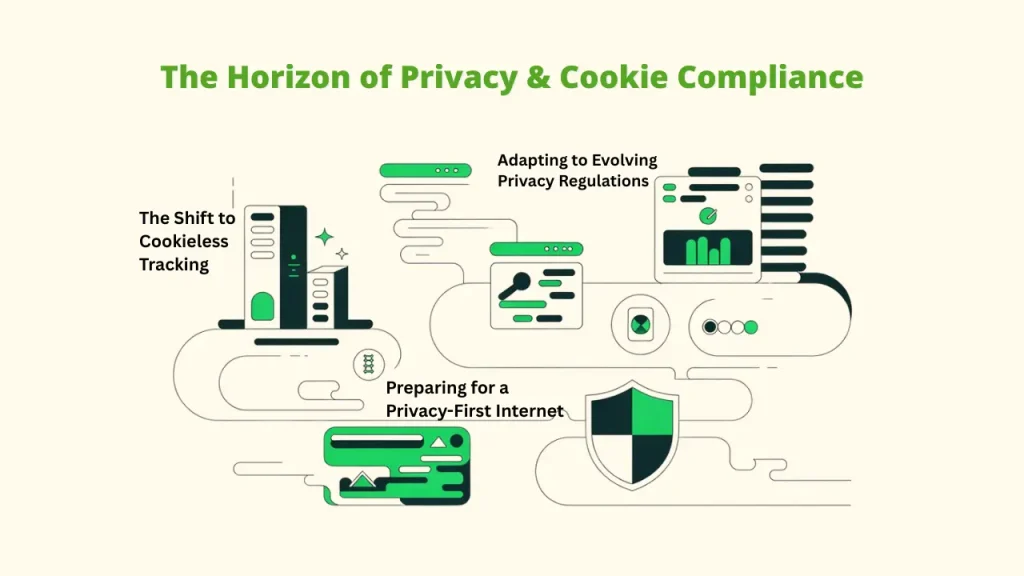
A. The Shift to Cookieless Tracking
As privacy concerns grow and rules become stricter, the digital world is shifting to cookieless tracking and privacy-friendly methods for analytics and ads.
Approaches like first-party data, server-side tracking, privacy-focused technology, and contextual advertising are becoming more common in online marketing.
B. Adapting to Evolving Privacy Regulations
Privacy regulations are constantly changing; therefore, companies must remain adaptable. Cookie regulations must be changed on a regular basis to conform to new rules. Additionally, programs like Complyfi automatically update to reflect the most recent legal requirements.
C. Preparing for a Privacy-First Internet
The demand for stronger online privacy continues to rise. Websites that focus on transparency and respect user choices in their cookie compliance efforts will gain user trust and achieve long-term success in a privacy-first digital space.
Conclusion
Now you have a clear understanding of cookie compliance, the steps to follow, and the tools that can help you stay on track.
By auditing your cookies, using transparent banners, and adopting reliable Consent Management Platforms (CMPs), you not only avoid penalties but also show your visitors that their data is safe in your hands.
If you are unsure where to begin, tools like Complyfi make the process much simpler. With features such as automated scanning, consent tracking, and easy-to-use dashboards, it removes the complexity of cookie compliance and keeps your website aligned with global privacy laws.
Your next move? Avoid awaiting legal action. Examine your website’s cookie requirements straight away, install the necessary software, and confidently maintain cookie compliance.